
Screen Width Calculator
Screens are sold by their diagonal, but what matters on a desk or a wall is how wide and tall they are. Enter the diagonal and aspect ratio to get the real width and height, then compare two screens drawn to scale or work out whether a multi-monitor setup will fit.
- Free to use
- No sign-up
- Runs in your browser
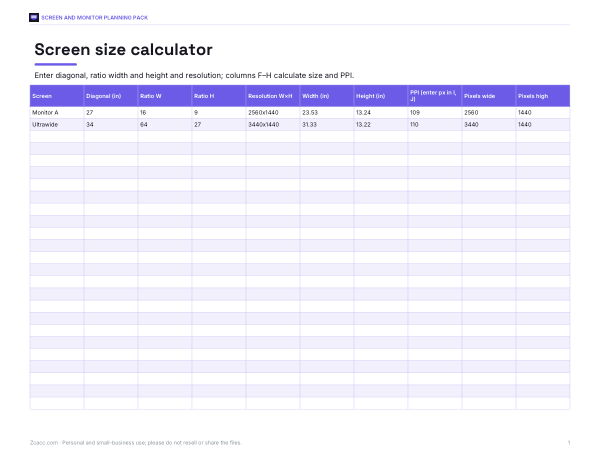
Screen width calculator
Screen and Monitor Planning Pack
Excel screen size calculator for any diagonal and ratio, printable screen size tables for monitors and TVs, a desk and wall layout planner and a monitor buying comparison sheet.
- Screen calculator (XLSX)
- Size tables (PDF/DOCX)
- Layout planner (PDF)
- Buying comparison (PDF/DOCX/XLSX)
Formats: XLSX, PDF, DOCX. Instant download after payment (link valid 72 hours, up to 5 downloads). AI-assisted: the templates were drafted with AI help and reviewed and laid out before publishing.
$3.00 USD, one-time 4 files · about $0.75 each
- Instant download
- 7-day refund
- Secure checkout by Stripe
7-day money-back guarantee. Full refund within 7 days of purchase, even after you download.
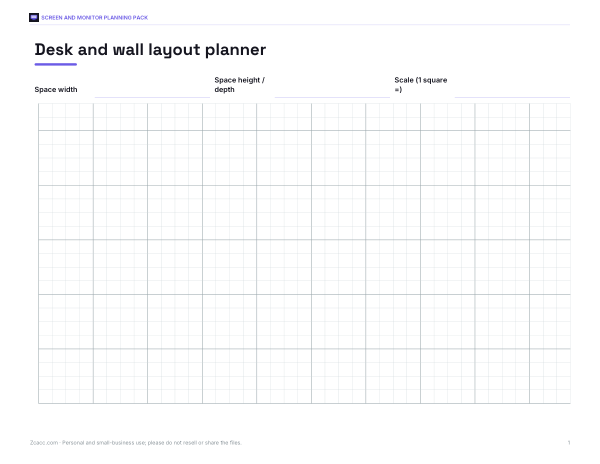
Free sample: Desk Layout Planner (PDF, 58 KB)
Full refund within 7 days — see the refund policy and license.
Free printables
Single sheets you can print right now, no sign-up. The full pack adds every sheet in one download plus the editable files.
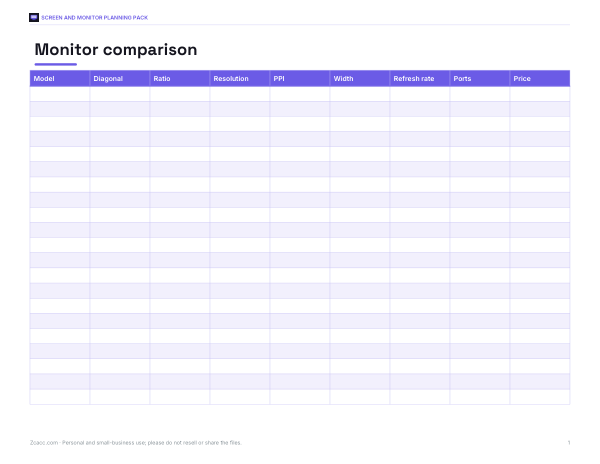 Screen Width Monitor Comparison Chart
The formula
For a screen with diagonal d and aspect ratio w:h, width = d × w ÷ √(w² + h²) and height = d × h ÷ √(w² + h²). For 16:9, √(16² + 9²) ≈ 18.36, so the width is about 0.872 × the diagonal and the height about 0.490 × the diagonal. Pixel density (PPI) is the diagonal in pixels, √(horizontal² + vertical²), divided by the diagonal in inches.
Common screen sizes
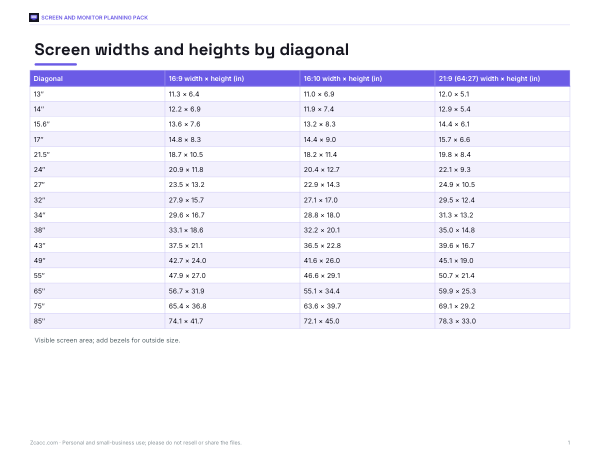
| Screen | Width | Height |
|---|---|---|
| 13.3″ 16:10 | 11.3 in (28.6 cm) | 7.0 in (17.9 cm) |
| 14″ 16:10 | 11.9 in (30.2 cm) | 7.4 in (18.8 cm) |
| 15.6″ 16:9 | 13.6 in (34.5 cm) | 7.6 in (19.4 cm) |
| 24″ 16:9 | 20.9 in (53.1 cm) | 11.8 in (29.9 cm) |
| 27″ 16:9 | 23.5 in (59.8 cm) | 13.2 in (33.6 cm) |
| 32″ 16:9 | 27.9 in (70.8 cm) | 15.7 in (39.8 cm) |
| 34″ 21:9 | 31.3 in (79.6 cm) | 13.2 in (33.6 cm) |
| 49″ 32:9 | 47.2 in (119.8 cm) | 13.3 in (33.7 cm) |
| 55″ 16:9 | 47.9 in (121.8 cm) | 27.0 in (68.5 cm) |
| 65″ 16:9 | 56.7 in (143.9 cm) | 31.9 in (80.9 cm) |
| 75″ 16:9 | 65.4 in (166.0 cm) | 36.8 in (93.4 cm) |
These are the visible screen areas; the outside dimensions add the bezel and, for TVs, the stand.
Worked example
Someone deciding between two 27-inch 16:9 monitors and one 34-inch ultrawide measures a 48-inch-wide desk shelf. Each 27-inch screen is 23.5 in wide, so with 7 mm bezels two side by side are about 48.2 in — too wide for the shelf. The 34-inch ultrawide (marketed as 21:9; 3440 × 1440 panels are exactly 43:18, very close to the 64:27 used here) is 31.3 in wide and 13.2 in tall — almost exactly the same height as a 27-inch 16:9 screen (13.2 in), so it feels like a 27-inch monitor with extra width. At 3440 × 1440 it has about 110 PPI, close to a 27-inch 1440p monitor’s 109 PPI.
Aspect ratios explained
| Ratio | Where you see it | Width ÷ height |
|---|---|---|
| 16:9 | TVs, most monitors, laptops | 1.78 |
| 16:10 | Many laptops and productivity monitors | 1.60 |
| 21:9 (64:27) | Ultrawide monitors and cinema-style content | 2.37 |
| 32:9 | Super-ultrawide (like two 16:9 side by side) | 3.56 |
| 4:3 | Older monitors, iPad-style tablets | 1.33 |
| 3:2 | Some laptops and tablets | 1.50 |
Comparing diagonals across different ratios is misleading: a wider screen has a smaller height for the same diagonal.
Pixel density and viewing distance
Higher PPI makes text sharper, but only up to the point where your eyes can no longer see individual pixels. Using the common rule of about one arcminute of visual acuity, the calculator estimates the distance at which pixels blend together. A 27-inch 4K monitor (163 PPI) reaches that at about 1.8 feet, while a 27-inch 1080p monitor (82 PPI) needs about 3.5 feet. Operating-system scaling adjusts text size so a high-PPI screen still has readable text.
Screen size and viewing distance
| Use | Typical distance | Size that often suits |
|---|---|---|
| Laptop | 18–24 in | 13–16 in |
| Desk monitor | 20–30 in | 24–27 in (16:9) or 34 in ultrawide |
| Large desk monitor | 30–36 in | 32 in 4K |
| Living-room TV | 6–9 ft | 55–75 in |
| Projector screen | 10–14 ft | 100–120 in |
These are common starting points rather than rules — personal preference, room layout and resolution all matter. A higher-resolution screen can be larger or closer without visible pixels.
Portrait and vertical setups
Rotating a monitor to portrait swaps its width and height: a 27-inch 16:9 screen becomes about 13.2 inches wide and 23.5 inches tall — handy for code, documents and reading. Choose “9:16 (portrait)” in the calculator to see the size, and check that the stand or arm supports rotation.
Tips for planning a desk or wall
- Measure the space and allow a few centimetres around each screen for cables and ventilation.
- For multiple monitors, match heights and pixel densities where possible for smooth window moves.
- Check stand footprint and depth as well as width.
- For TVs, compare the outside width with the furniture it will sit on.
- Ultrawide and super-ultrawide screens often replace two or three monitors without a bezel gap.
Privacy
All calculations run in your browser.
Frequently asked questions
How wide is a 27-inch monitor?
About 23.5 inches (59.8 cm) of screen for 16:9, plus the bezel.
How do I calculate screen width from the diagonal?
Width = diagonal × ratio width ÷ √(ratio width² + ratio height²).
What is PPI?
Pixels per inch — the diagonal resolution in pixels divided by the diagonal in inches.
Is a 34-inch ultrawide taller than a 27-inch monitor?
About the same height; it’s mainly wider.
Why is 21:9 sometimes 64:27?
Ultrawide 3440 × 1440 and 2560 × 1080 panels are exactly 43:18 and 64:27, marketed as 21:9.
Does the diagonal include the bezel?
No, it measures the visible screen only.
How wide are two 24-inch monitors side by side?
About 41.8 inches of screen (2 × 20.9 in), plus bezels.
What PPI is considered sharp?
Around 100–110 PPI is typical for desk monitors; 140 and above looks crisp at normal distance, especially with scaling.